Why Tracking Your Time Makes You More Productive
Most people who try time tracking give up in the first week. It feels like paperwork, or like something a manager makes you do. But the real reason to track your time is simple. You can't see where your hours go, and tracking is the easiest way to find out.
You're guessing about your own day
Ask someone how long they spent on email yesterday, and they'll give you a confident answer. Ask them to check, and the answer is usually wrong. Sometimes it's off by two or three times.
That's normal. Your memory rebuilds the day from the parts that stood out: a hard conversation, a task you finished, an interruption that annoyed you. The 40 minutes you lost jumping between tabs leaves no memory at all, because nothing in it was worth remembering.
So you plan tomorrow from a picture of today that leaves out the expensive parts. You give a task one hour when it has taken three hours every time. Then you feel behind and decide you need more discipline.
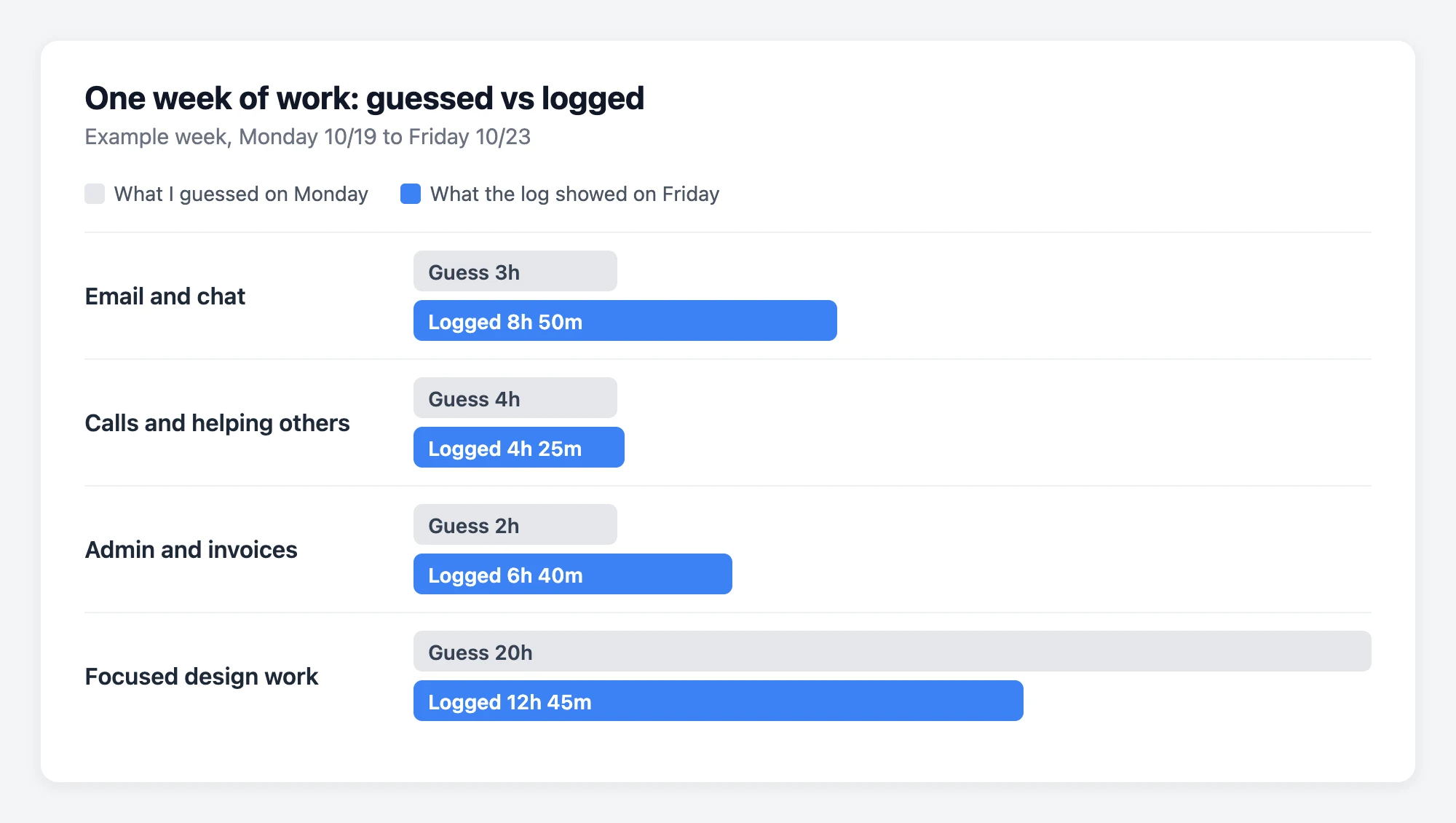
Most of us don't waste that much time. We just can't see where it goes, so we can't change it.
What changes when you track your time
1. Your estimates get better
This is usually the first thing people notice. After a week or two of writing down real times, you stop planning days that were never possible. If a report has taken you two and a half hours the last four times, you stop squeezing it into "an hour after lunch."
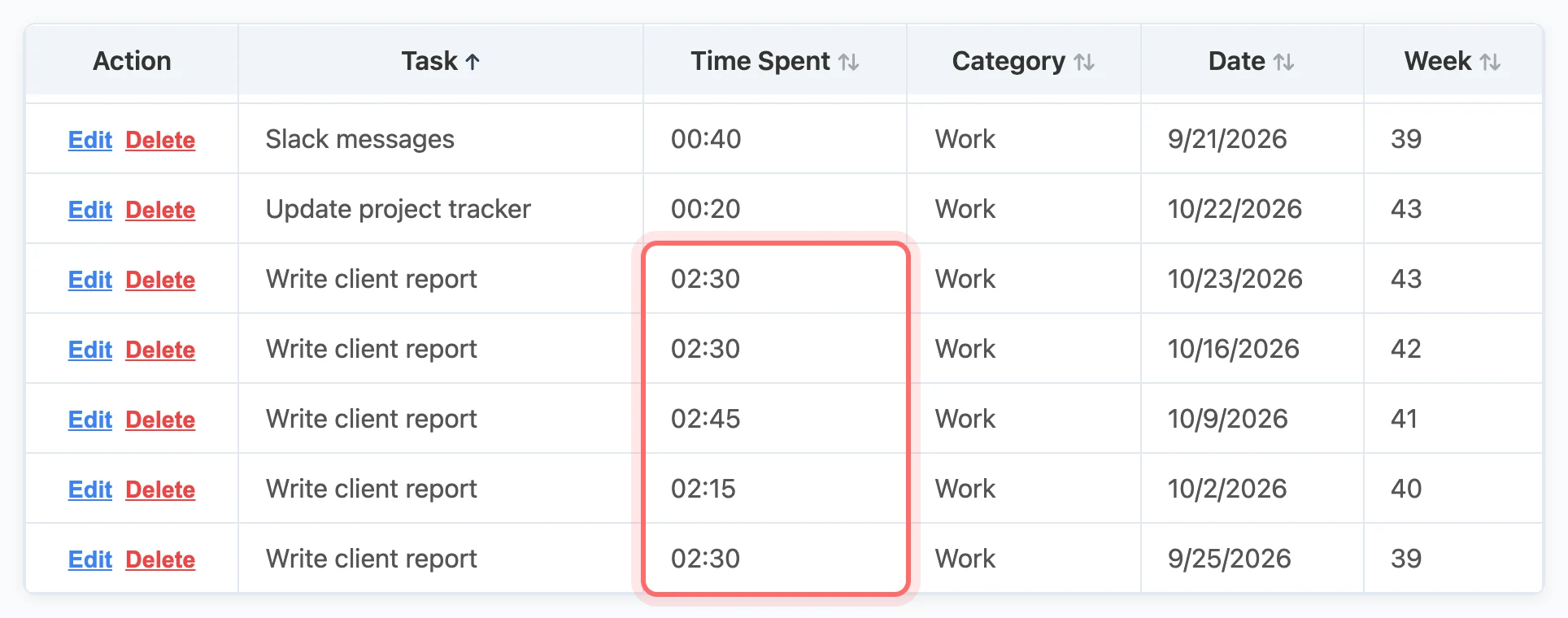
Better estimates help with more than your calendar. They help you decide what to say yes to. And when you tell someone "that will take until Thursday," you can mean it.
2. You stop feeling like you did nothing
Some days end with the feeling that you got nothing done, even though you barely stopped. Usually that day was full of small, real work: a dozen replies, two interruptions, a problem you found but haven't fixed yet.
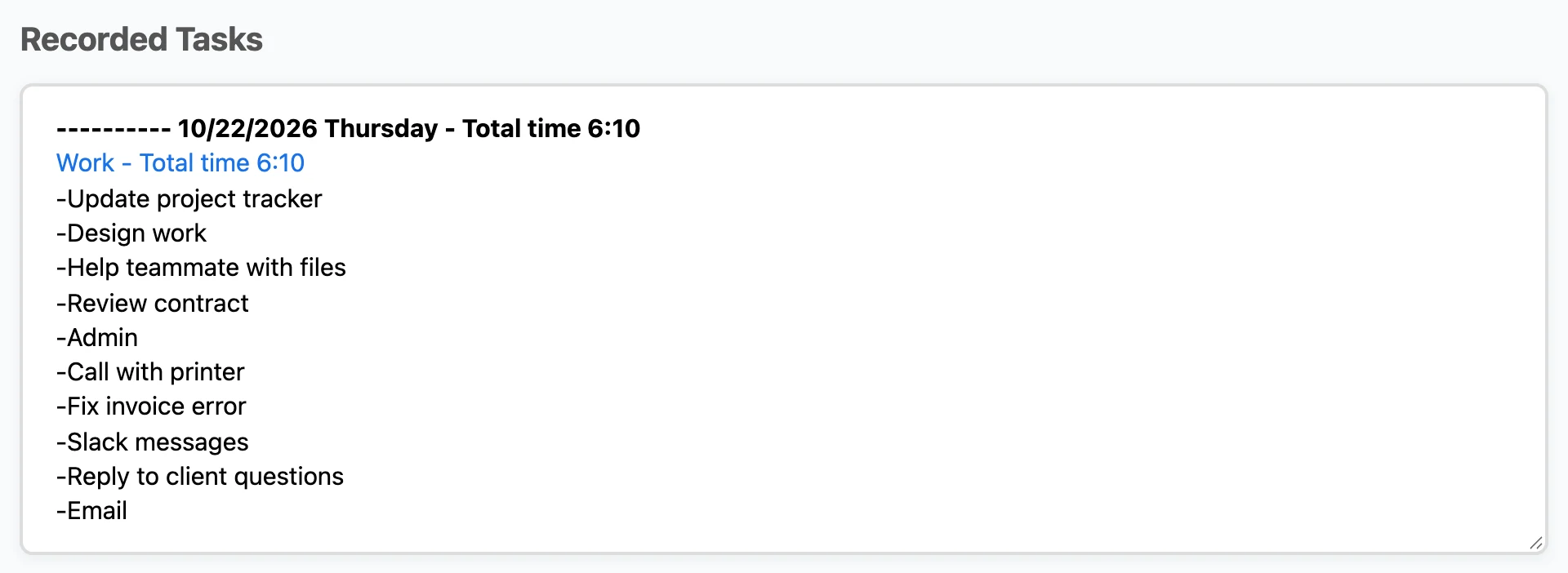
A time log shows that work. Six hours of real effort with nothing finished is a different problem from six lost hours, and it needs a different fix. Without a record, both feel the same, and you blame yourself for both.
3. You learn what your work really costs
After a few weeks of tracking by category, you'll see patterns you wouldn't notice otherwise. Admin work that felt small turns out to be the second biggest part of your week. The task you dread takes only 20 minutes, and the dread costs you more than the task.

You can't decide to drop, group, hand off or shorten something until you know how much time it takes. Tracking tells you.
4. Tasks get an end
Work tends to fill whatever time you give it. People call this Parkinson's Law. Tracking pushes back on that, because a task with a time attached feels like it has an end. Tasks with a clear size get finished. Tasks without one tend to drag on.
Common worries about time tracking
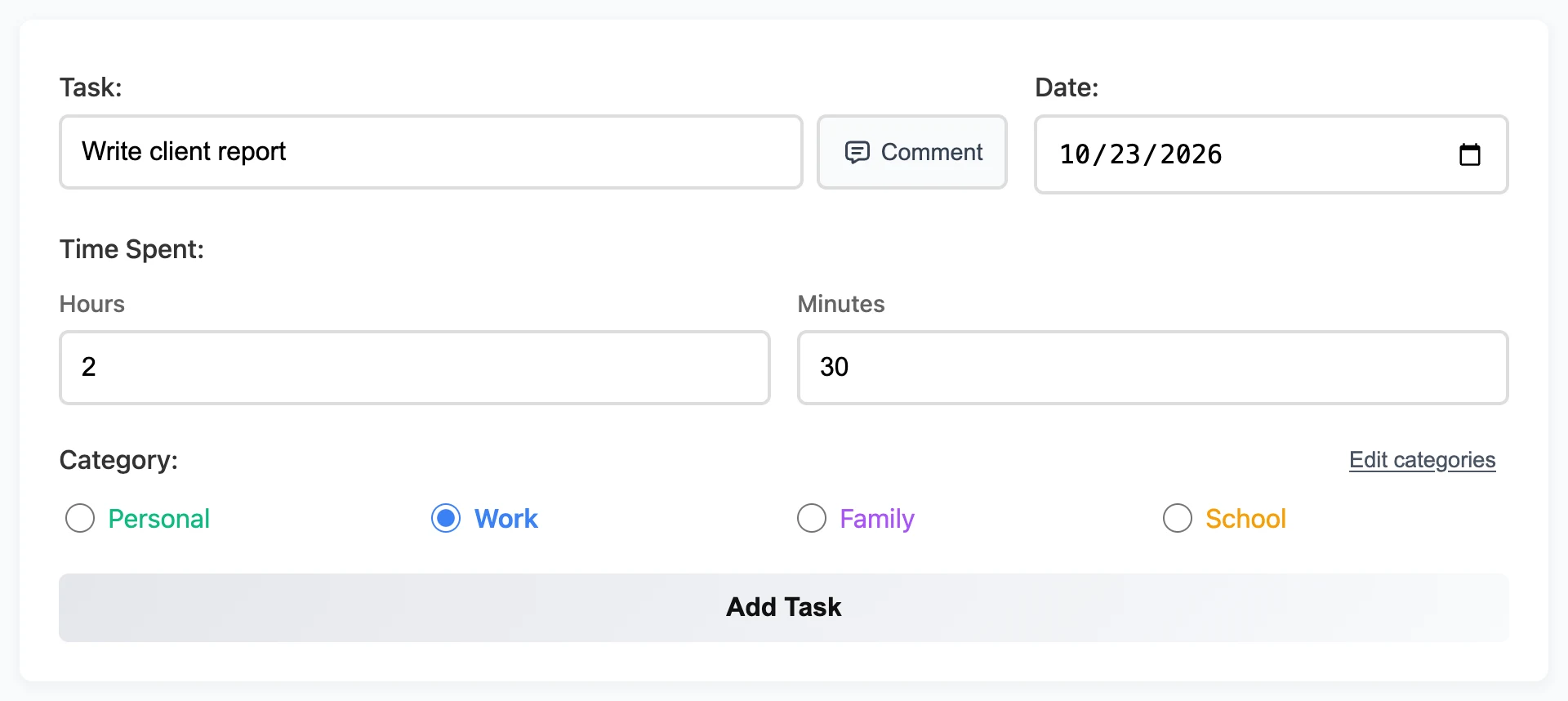
"It's too much work." It is if you try to account for every minute. It isn't if you just write down the task and roughly how long it took. That takes a few seconds, a few times a day. More detail than that won't help you much.
"It will make me feel worse." Maybe, for about three days. The first honest week is uncomfortable for almost everyone. After that, most people feel relief, because a vague sense of guilt turns into a clear problem they can fix.
"I already know where my time goes." You might. Before you start, write down how you think a normal week splits up. After a week of tracking, compare it to your log. That comparison is the most useful thing you'll get from tracking, and you only get to do it once.
How to start and keep going
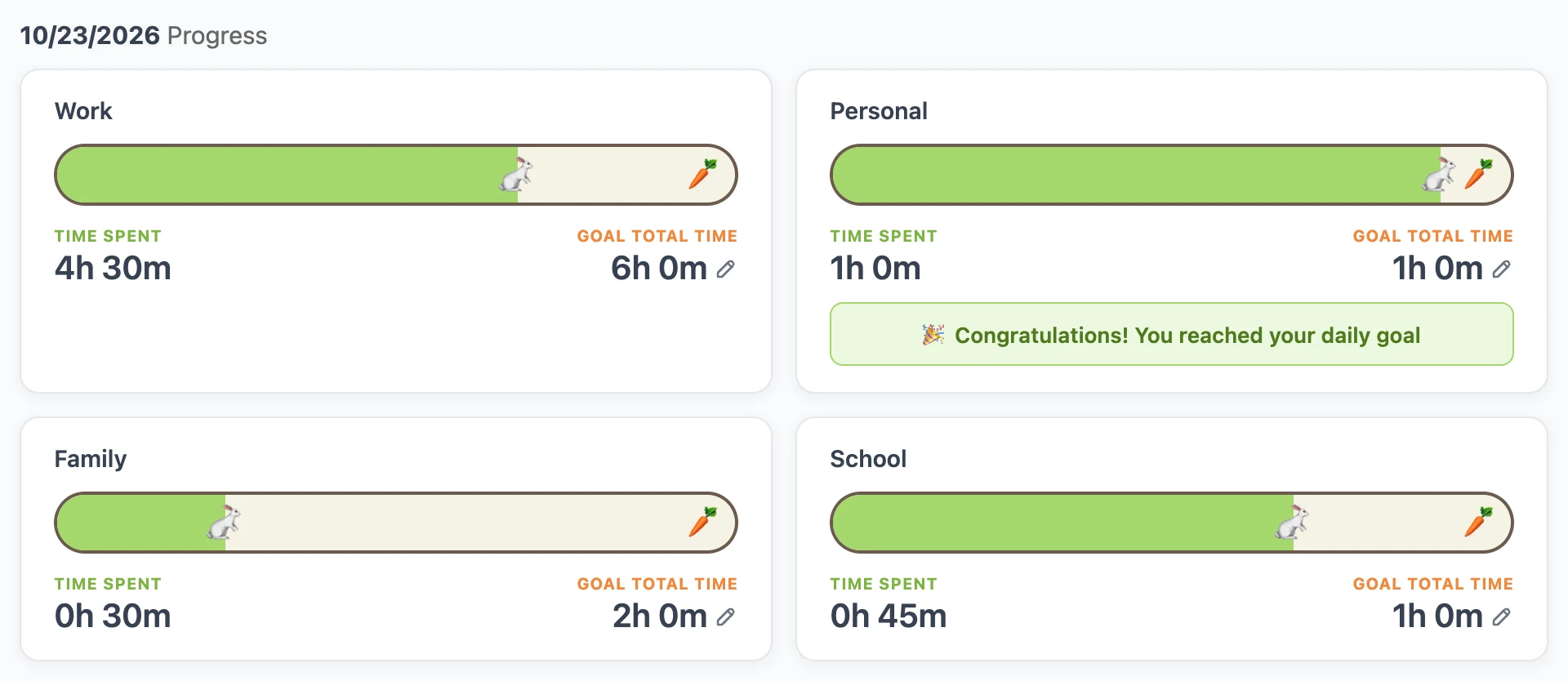
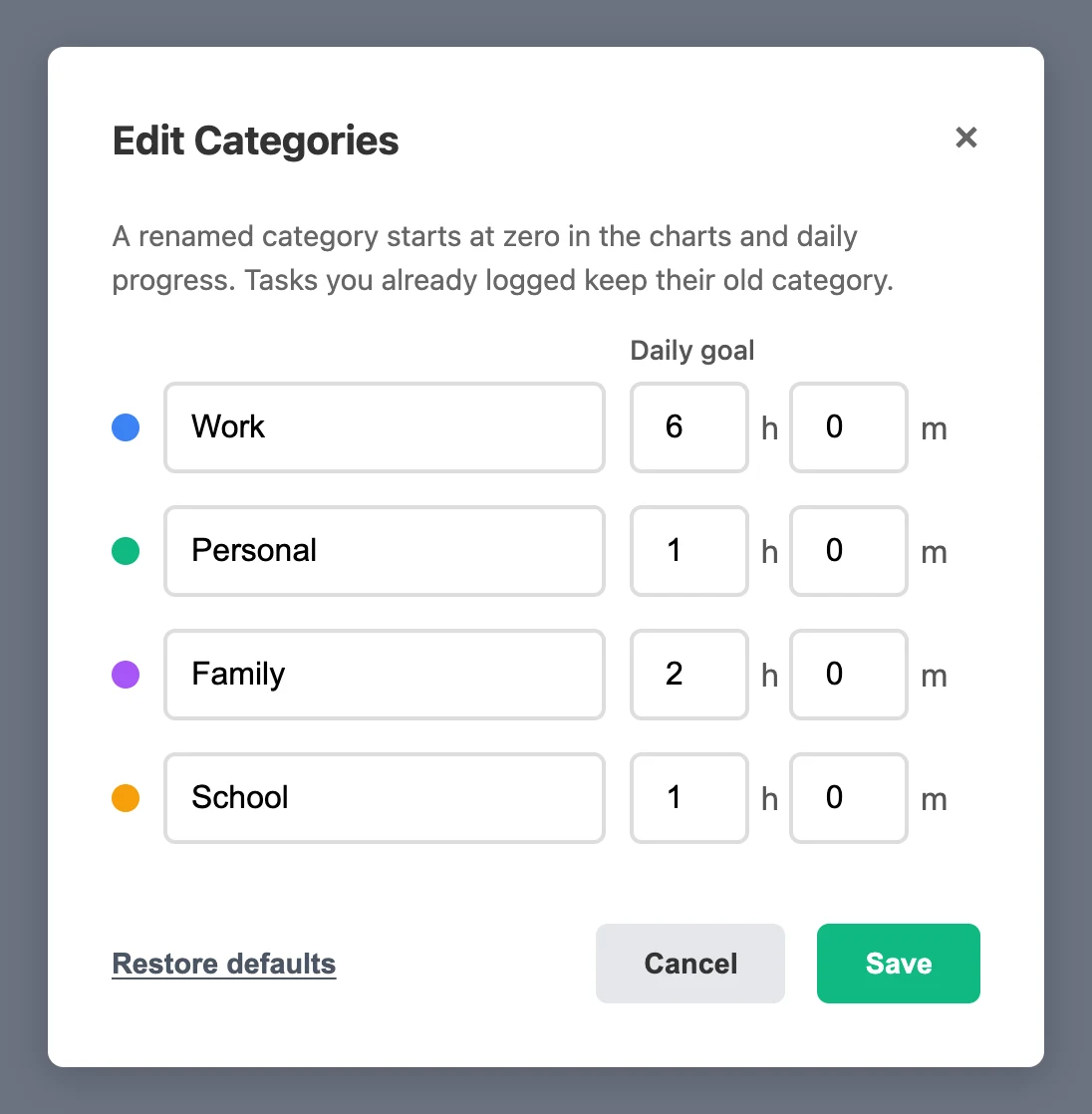
- Track categories, not every minute. Four or five groups, like work, personal, family and study, are enough to see the shape of your week. Too many tags is what makes people quit.
- Log tasks when you finish them. Then you don't have to remember to start a timer.
- Round the numbers. "About 45 minutes" is close enough to help you decide things. Chasing exact numbers is a good way to give up.
- Give it a full week. One day tells you very little. A week shows a pattern.
- Set aside 15 minutes to look at it. Tracking without looking back is just typing. The review is where you learn something.
What to do after the first week
Open your log and ask yourself three questions:
- What took much longer than I expected?
- What did I mean to do every day but never did?
- Which category do I want more time for next week, and where will that time come from?
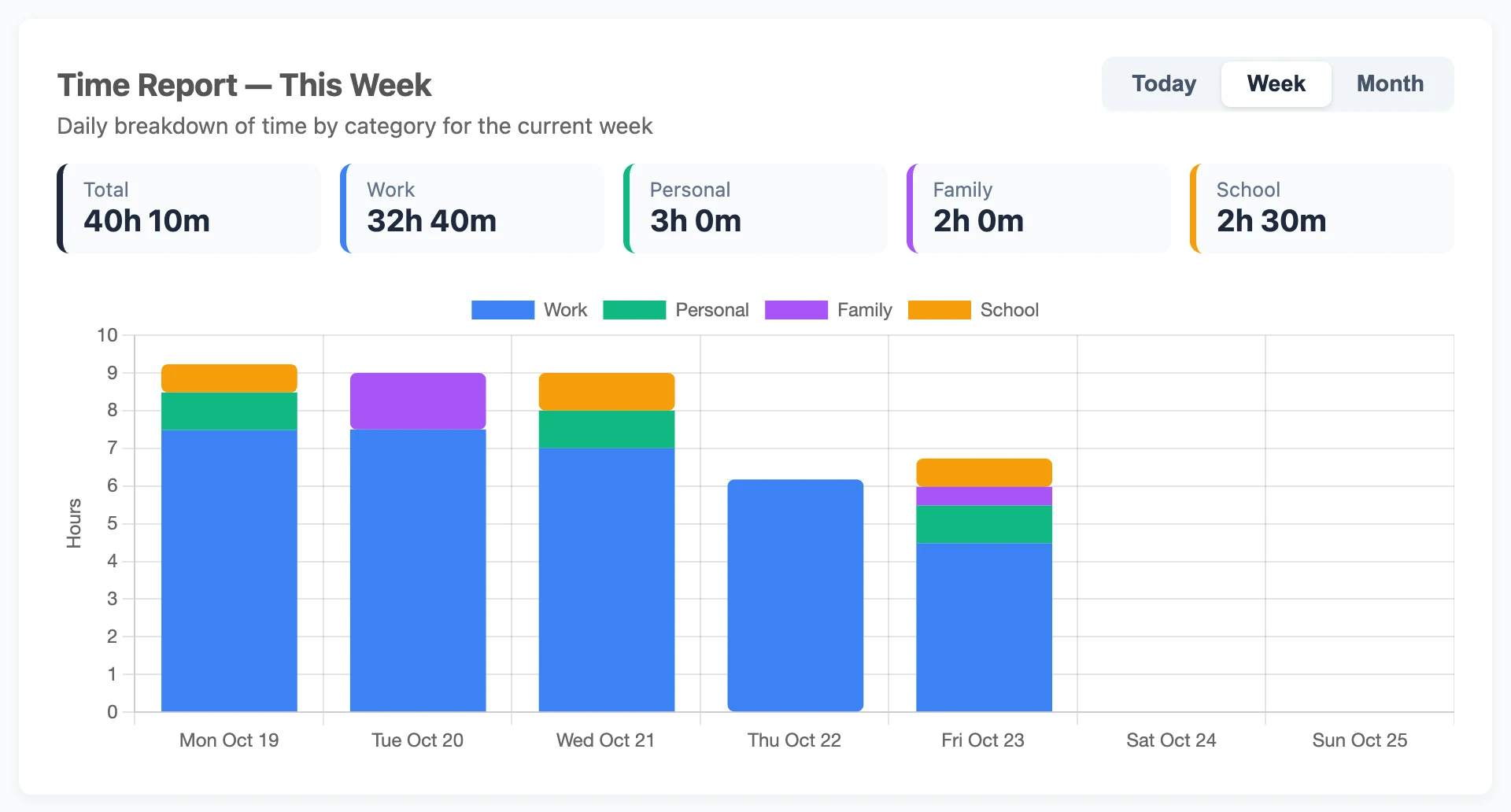
That last question is the point of all this. A better system won't give you more hours. You can only move time from one place to another, and tracking shows you where to move it from.
Put this into practice today
Daily Task Tracker is a free to-do list and time tracker. You don't need an account to start. Your tasks save right in your browser.
Go to App