How to Build a Daily To-Do List That Actually Works
A to-do list should take things off your mind. Instead, a lot of lists turn into a long record of everything you haven't done yet. You don't need a better app to fix that. You need a few simple rules about what goes on the list.
Why to-do lists stop working
Most lists fail for one of four reasons:
- It's a wish list, not a plan. You write 23 items for a day that only has room for six. The day is a failure before it starts.
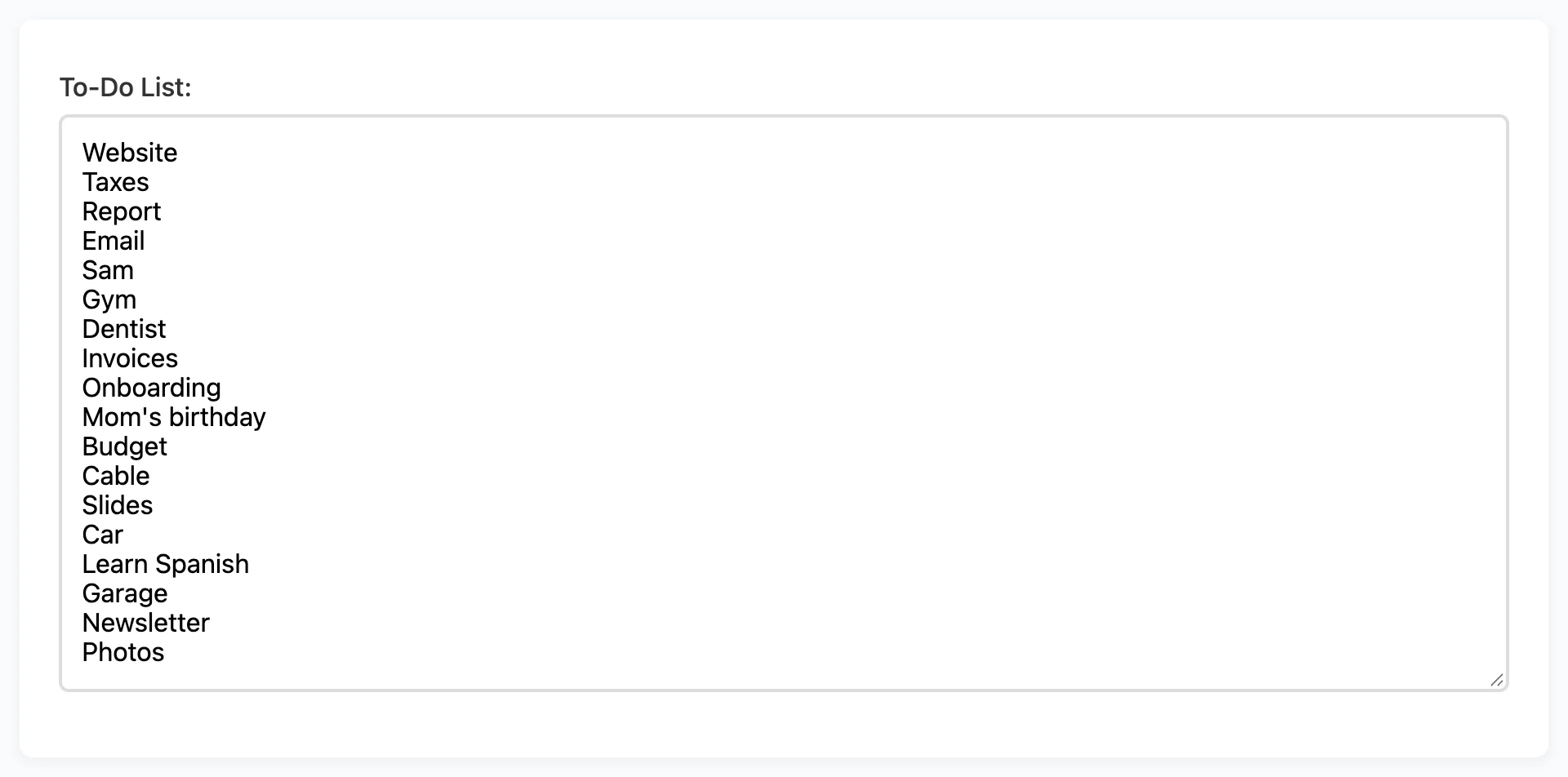
- The items aren't tasks. "Website" isn't a task. It's a topic. You can't start it, so you skip it every day for weeks.
- Nothing has a size. "Reply to Sam" and "Rewrite the onboarding flow" look the same on the list. So you do the small ones and feel busy.
- Everything is urgent. If every item is marked important, nothing is.
Six rules for a list you'll finish
1. Keep one list
A list in a notebook, another on your phone, and a few more in your inbox and your head isn't a system. You can't fully trust any of them. Pick one place for everything. Trusting your list matters more than which app you use.
2. Start every item with a verb
"Write the first two paragraphs of the report" is something you can start. "Report" isn't. If you can't put a verb in front of an item, it's a project. Put its next small step on today's list instead.
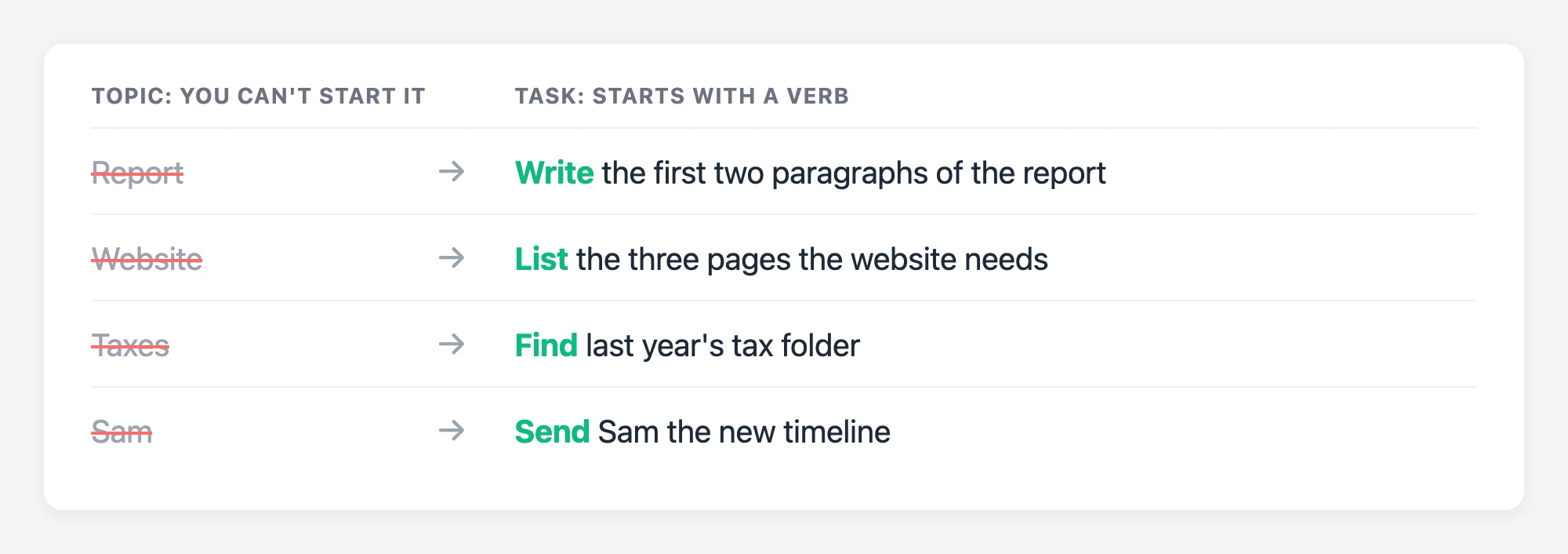
This one change fixes more stuck lists than anything else. You don't skip vague items because you're lazy. You skip them because you don't know where to begin.
3. Pick three things that must happen
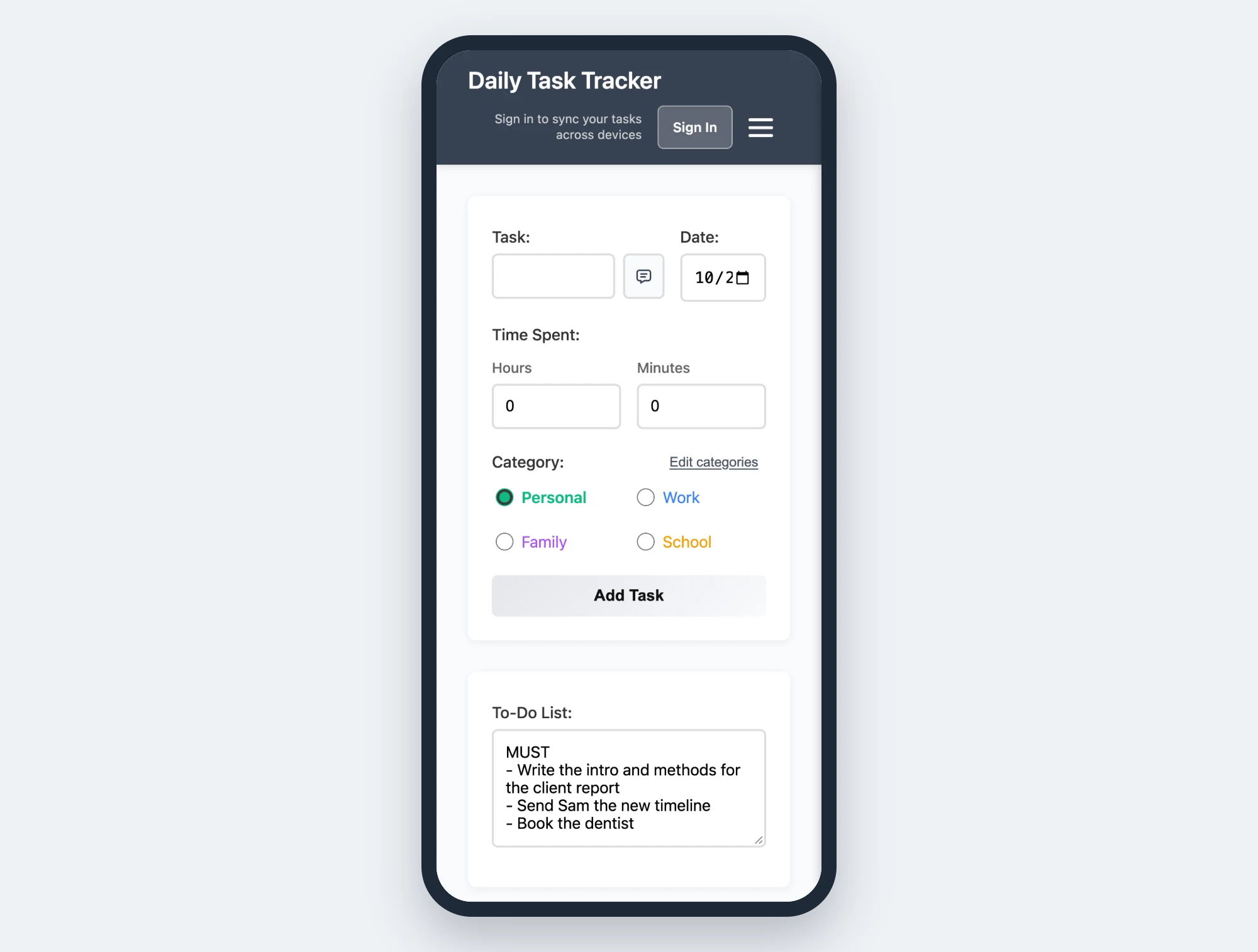
Before you start, mark the three tasks that would make today a good day. Not five. Three fits into a real day with interruptions, lunch, and a meeting that runs late.
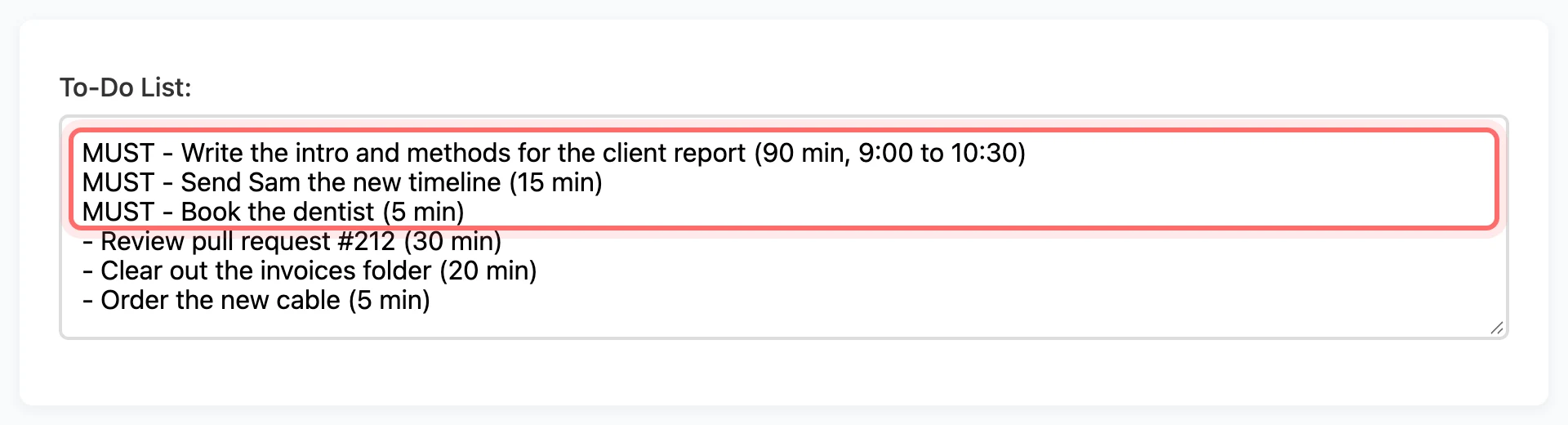
Everything else is a bonus. It may sound like you're lowering the bar, but you'll finish more, because you stop spreading yourself across a dozen half-done things.
4. Write a time estimate next to each task
Write down how many minutes you think each item will take. Two things happen. First, you notice when your list adds up to 14 hours, and you can cut it before the day starts. Second, you learn how good your guesses are. For most people, tasks take about twice as long as they expect.
Try this: For one week, write your estimate next to each task, and write the real time when you finish. Don't try to guess better. Just collect the numbers. The difference will teach you a lot about your days.
5. Give important tasks a time
A list tells you what to do, but not when. Without a "when," good plans slip. Give your three main tasks real time slots, like report draft, 9:00 to 10:30. If you don't plan your day, other people's emails will plan it for you.
6. End the day on purpose
Take five minutes at the end of the day. Check off what's done. For anything left, decide: move it to tomorrow, move it to a later date, or delete it.
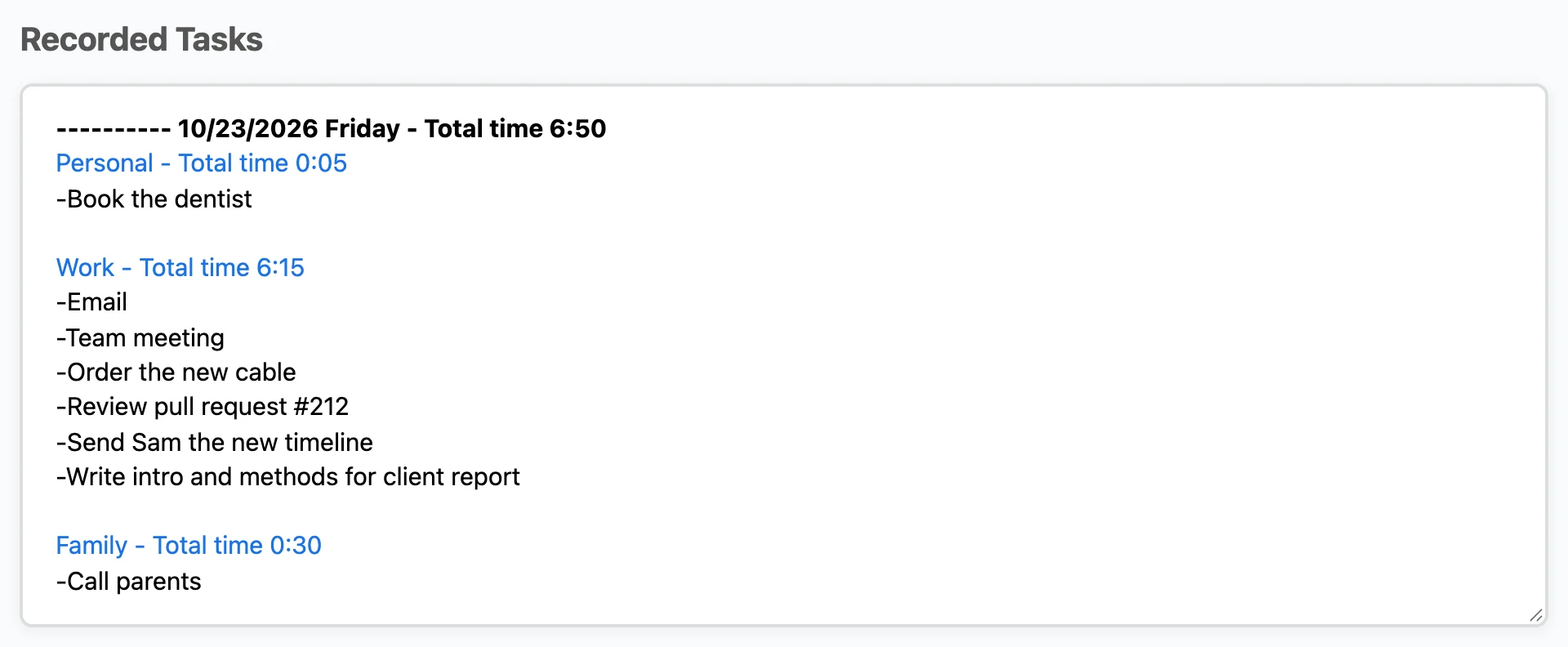
Most people never delete anything. But a task you've moved eleven times is really a decision you keep putting off. Deleting it is fine. It only costs you the guilt.
What a good list looks like
Here's a real day, written the right way:
- MUST: Write the intro and methods for the client report (90 min, 9:00 to 10:30)
- MUST: Send Sam the new timeline (15 min)
- MUST: Book the dentist (5 min)
- Review pull request #212 (30 min)
- Clear out the invoices folder (20 min)
- Order the new cable (5 min)
That's about two hours and 45 minutes of planned work. It leaves room for the rest of the day to happen. Compare that to a list of 18 single words, and you can see the difference.
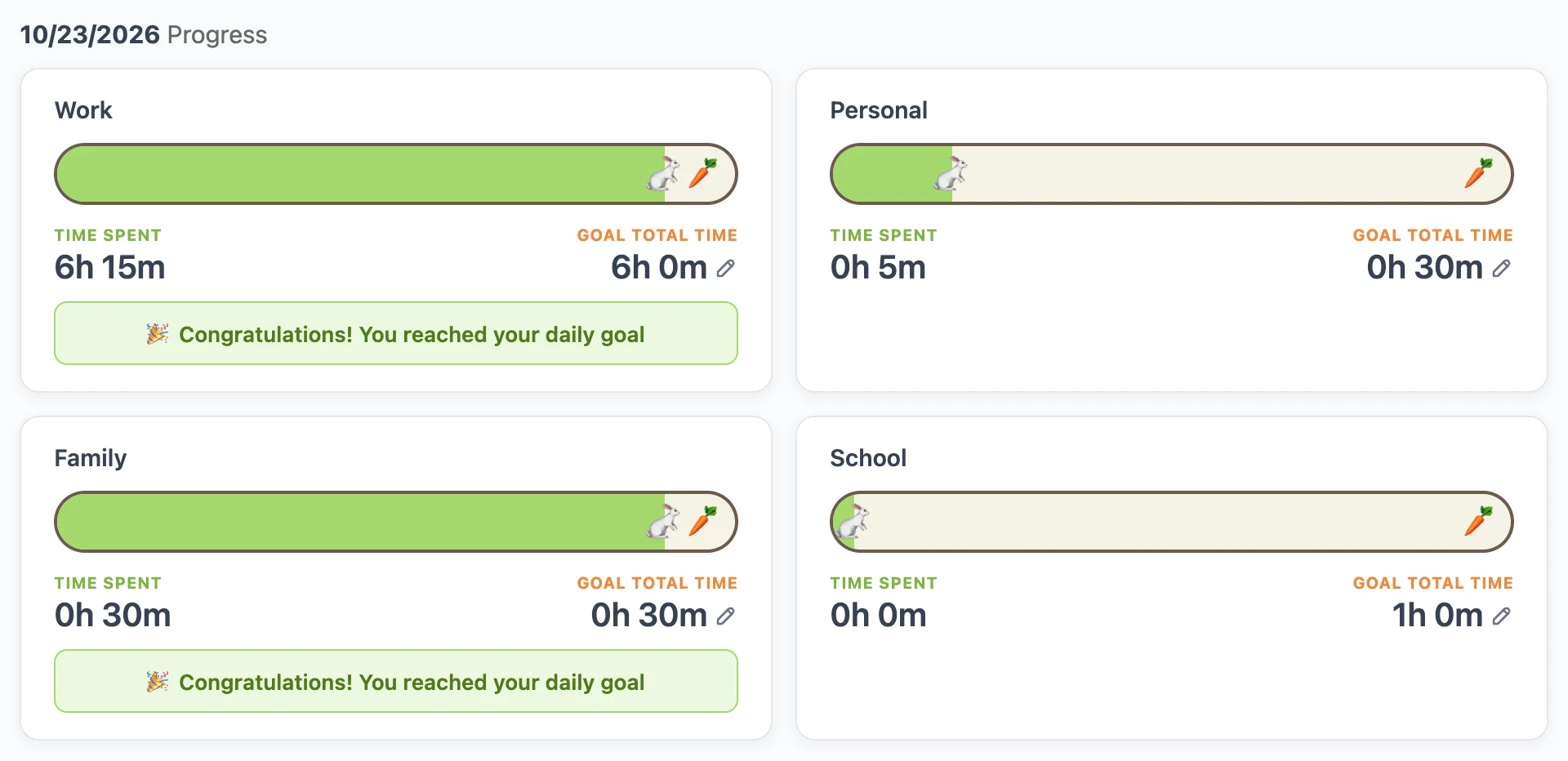
Review your list once a week
Once a week, spend 15 minutes on the list itself, not the tasks:
- Delete anything you've carried for more than two weeks without touching it. If it matters, it will come back.
- Turn anything that's still a topic into its next small step.
- Look at what you really finished, and compare it to what you said was important on Monday.
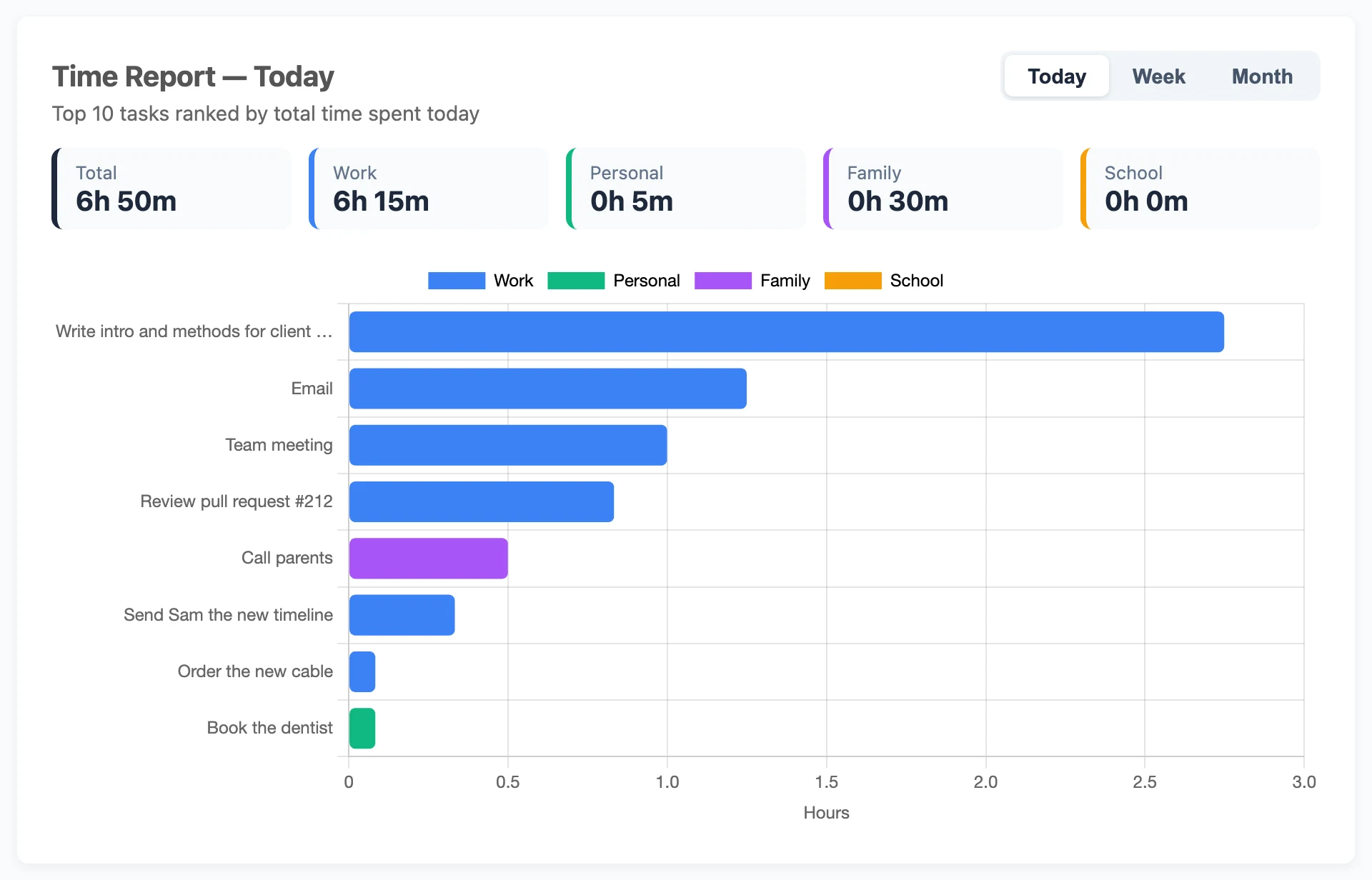
That last step can be uncomfortable, but it's worth it. It's common for a list to fill up with easy wins while the important work slips. You won't notice it day to day, but you'll see it clearly over a week.
Put this into practice today
Daily Task Tracker is a free to-do list and time tracker. You don't need an account to start. Your tasks save right in your browser.
Go to App